01 / PLANNING
Excel & phone calls
Double bookingOne live calendar
Bookings, contracts and fleet tracking, organized in one connected file. Subscribe monthly or yearly.











Double bookings, photocopied IDs, paper contracts.
Keep
scrolling and watch them fall into place.
Double bookingOne live calendar
Slow answersAvailability at a glance
Lost papersID scanned in seconds
Print · sign · scanSigned on the phone
Choose dates, find a free car, add your client, and check the departure before payment and confirmation.
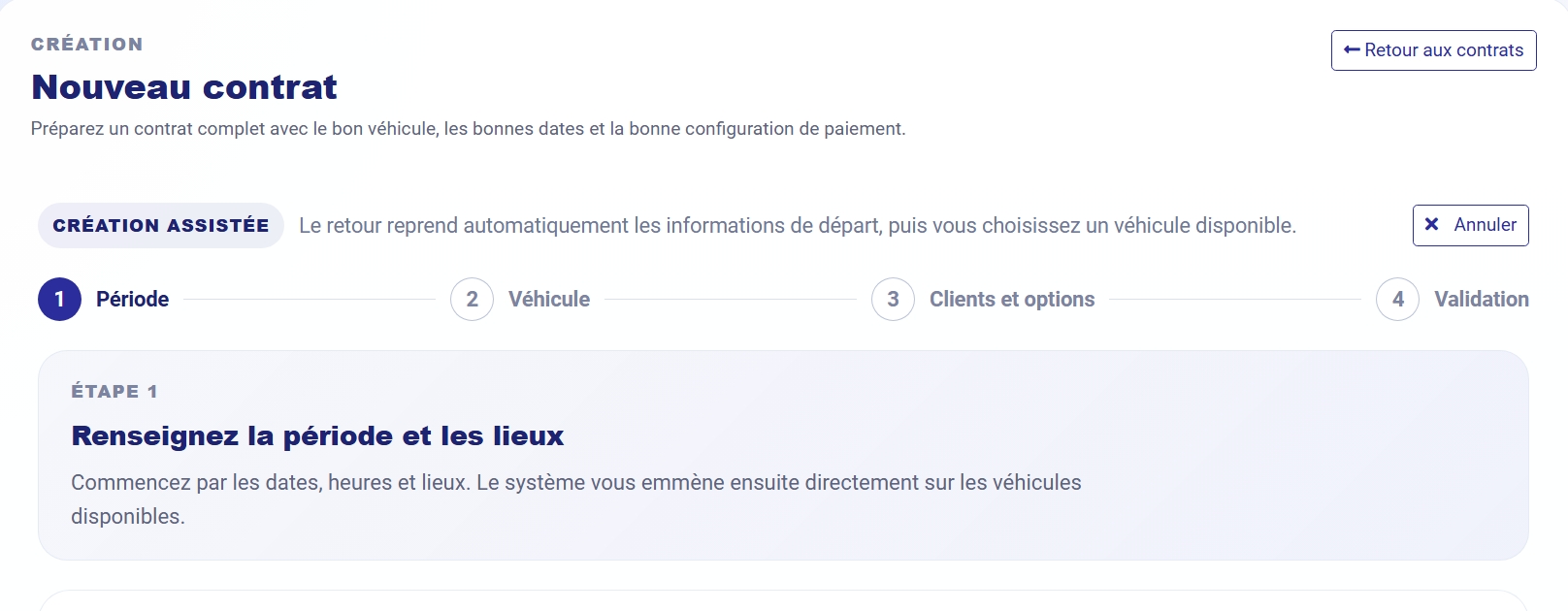
✓ Done: rental confirmed
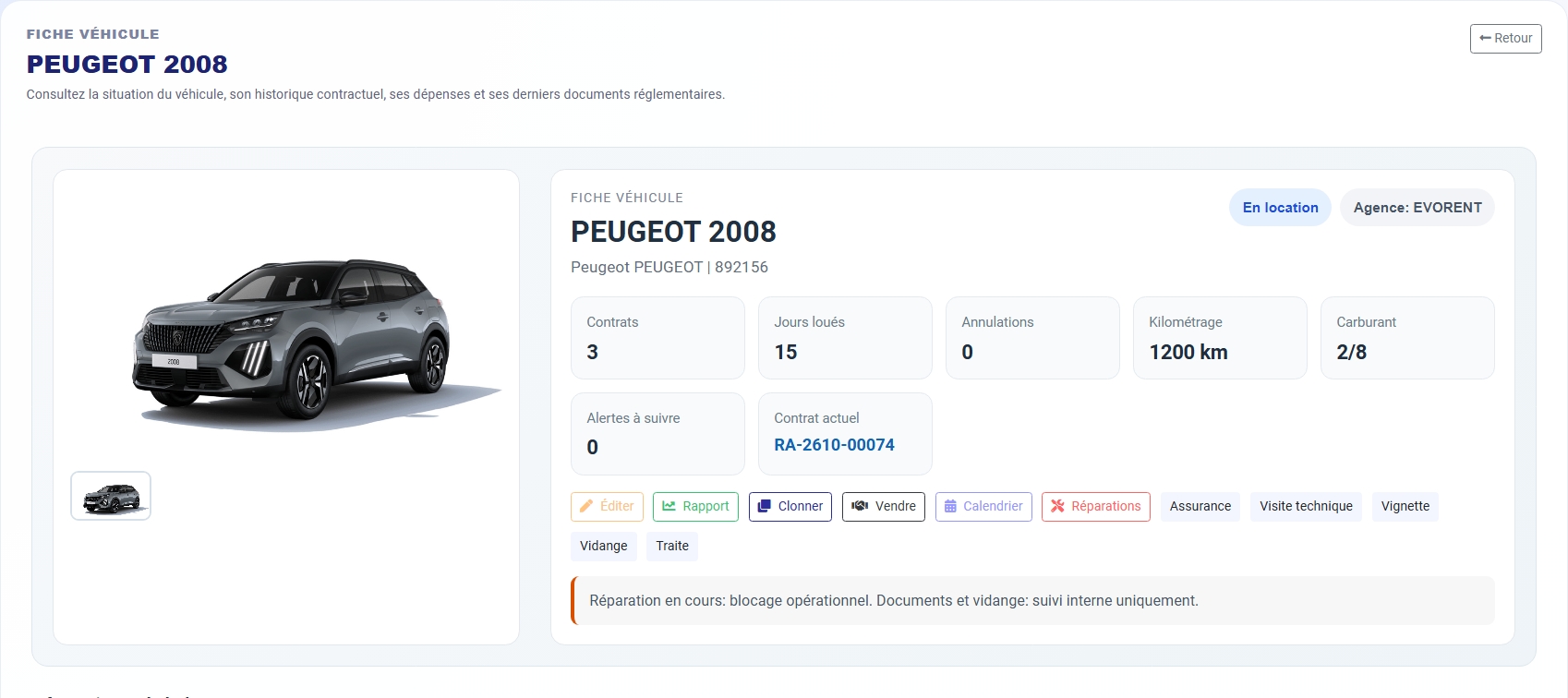
See each step in detailFrom checking dates to a signed contract, see how EVORENT simplifies the work that slows your agency down.
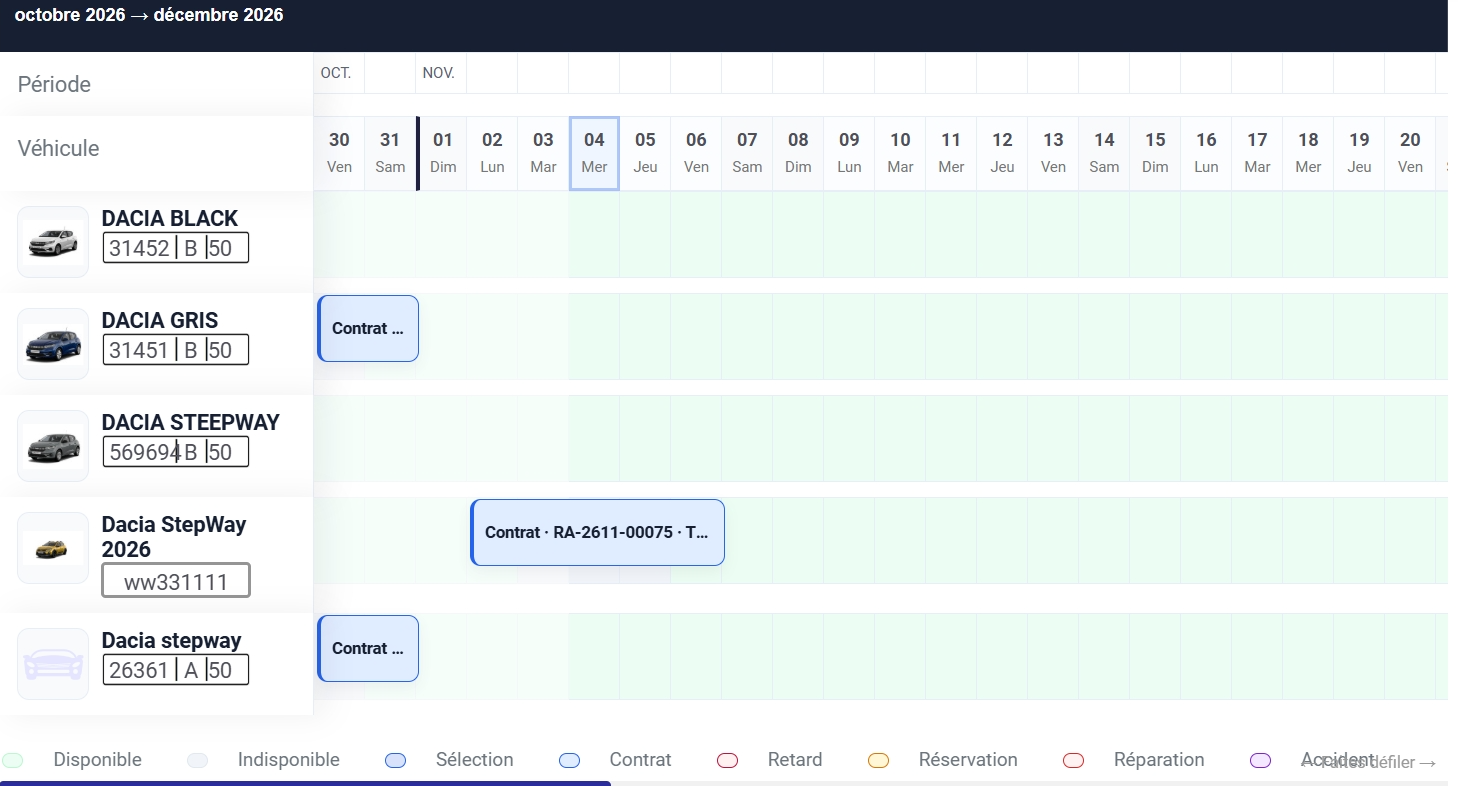
Overlapping dates and unavailable cars can disrupt your day. See every vehicle on one shared calendar, check the dates, and confirm with confidence.
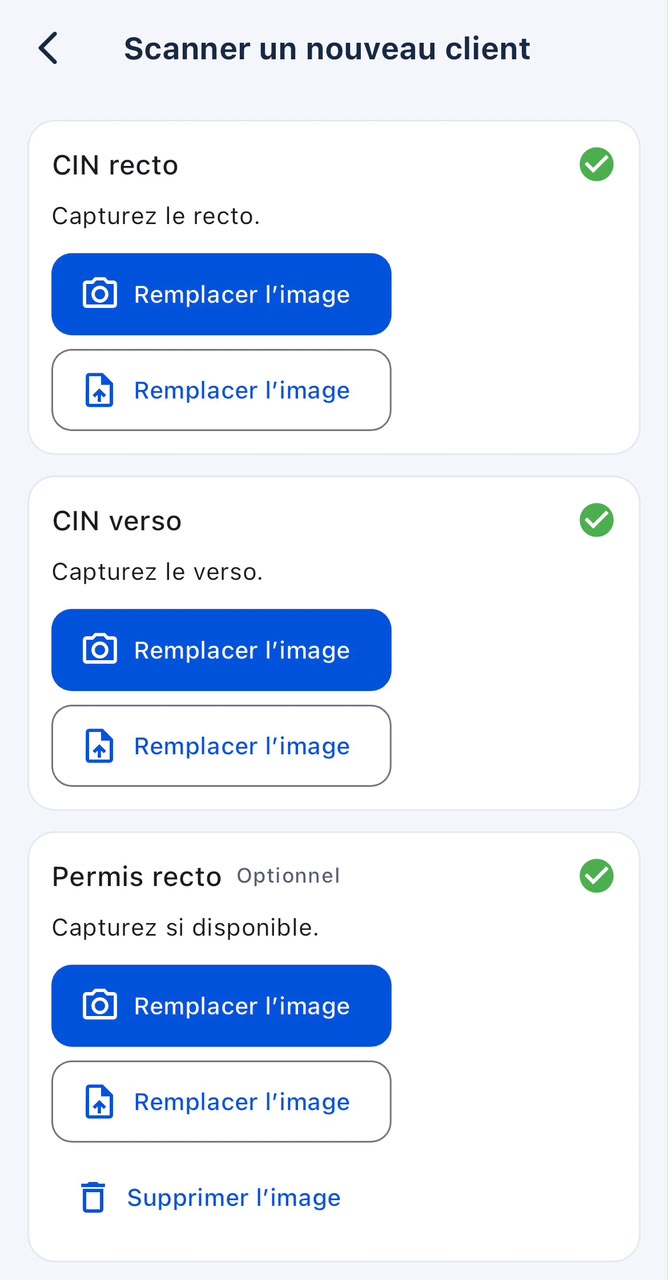
Once availability is confirmed, prepare the rental contract. For a first-time client, scan their ID card to fill in their details and create their profile, whether at your agency, on the website, or in the app.
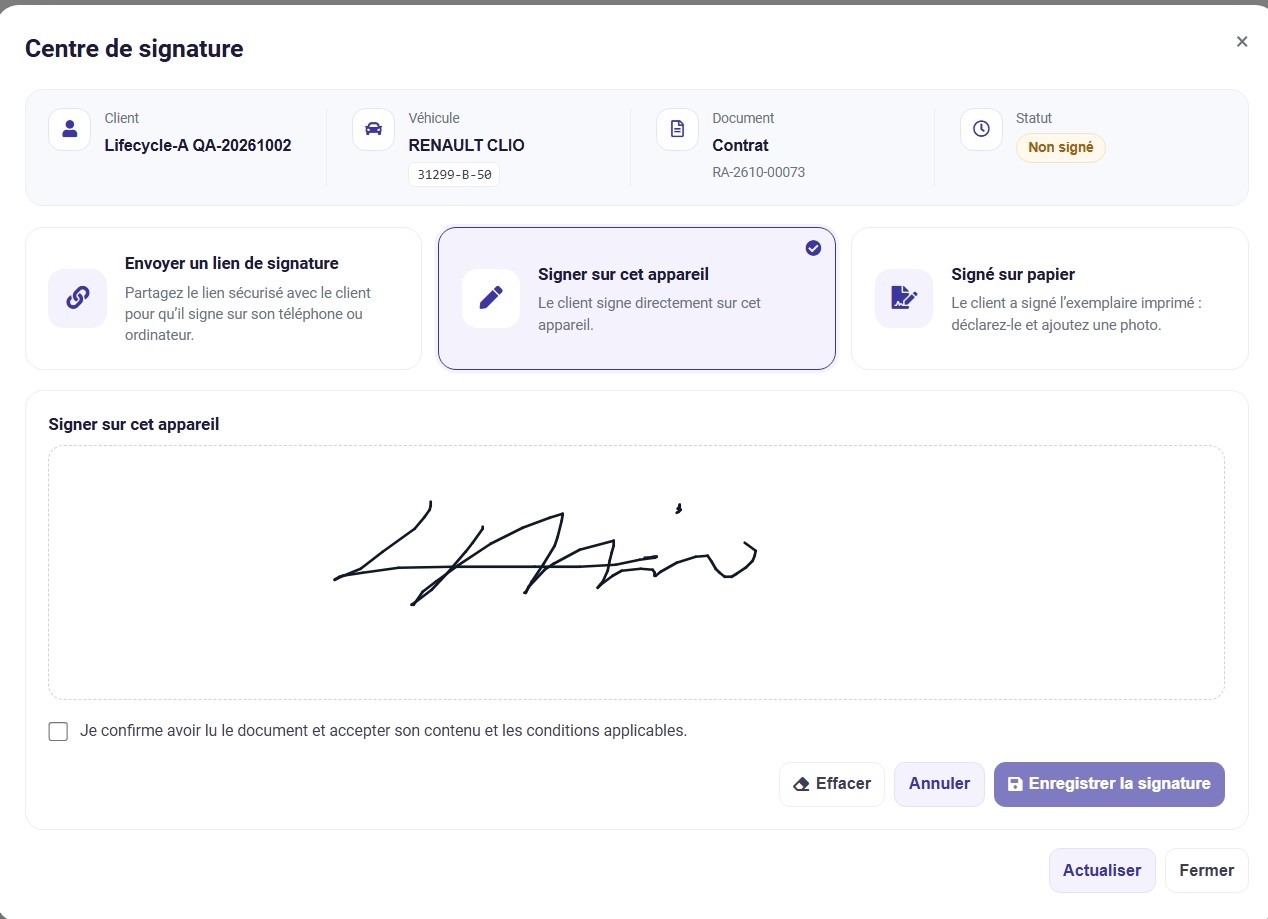
Sign the contract on a phone, computer, or tablet, or send the client a signing link. Export the signed contract directly from the EVORENT website or app.
Record mileage, fuel, equipment and damage, then retain the relevant photos and signatures.
Track collections, expenses, and outstanding balances in one place. Turn daily activity into a clear financial overview for your agency.
Prepare the contract in French or Arabic, then track signatures and documents linked to the rental.
EvoRent helps prepare and check the documents in the file. Submission to NARSA remains a separate process handled by the agency.
.jpeg)
.jpeg)
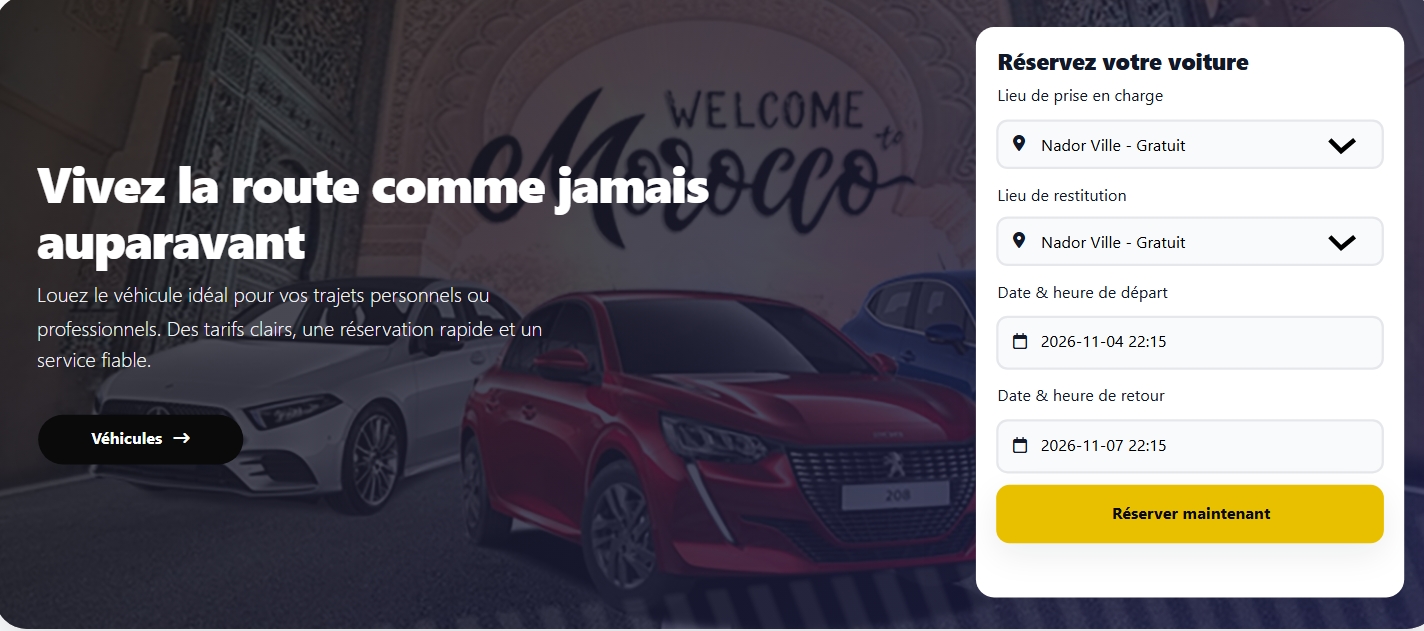
Your clients see available cars and reserve in a few taps.
No
online payment. Your agency handles the next steps.
Choose annual payment, or monthly billing with the first three months paid upfront.
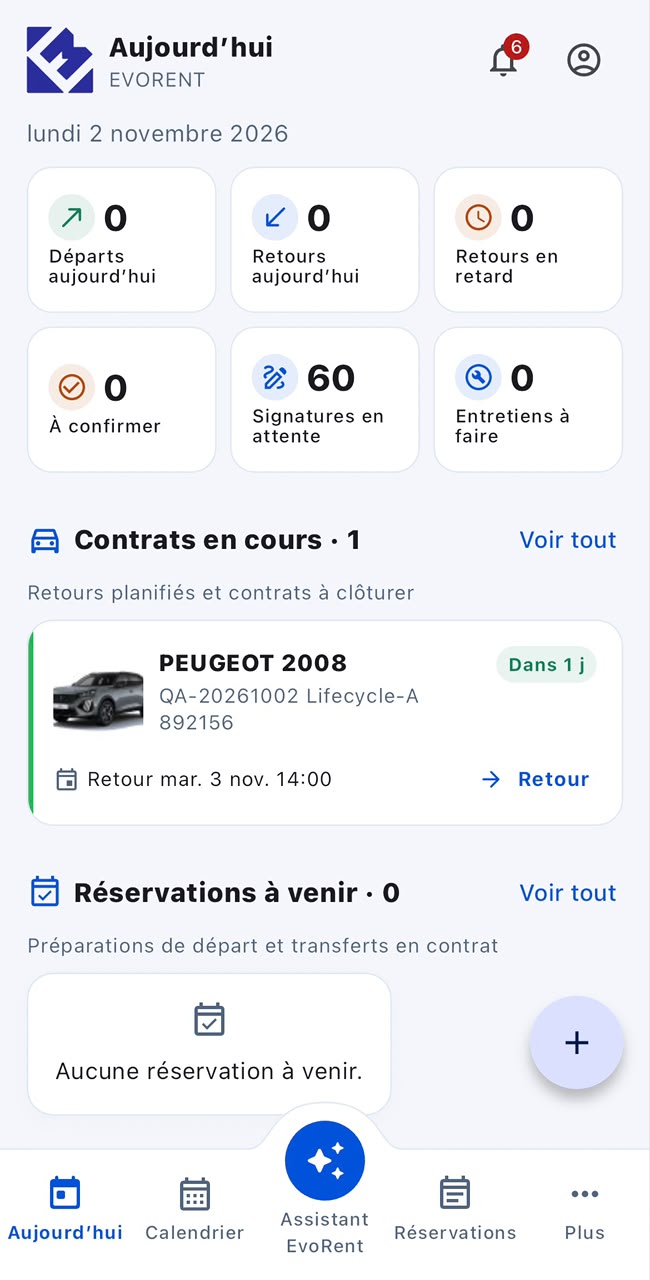
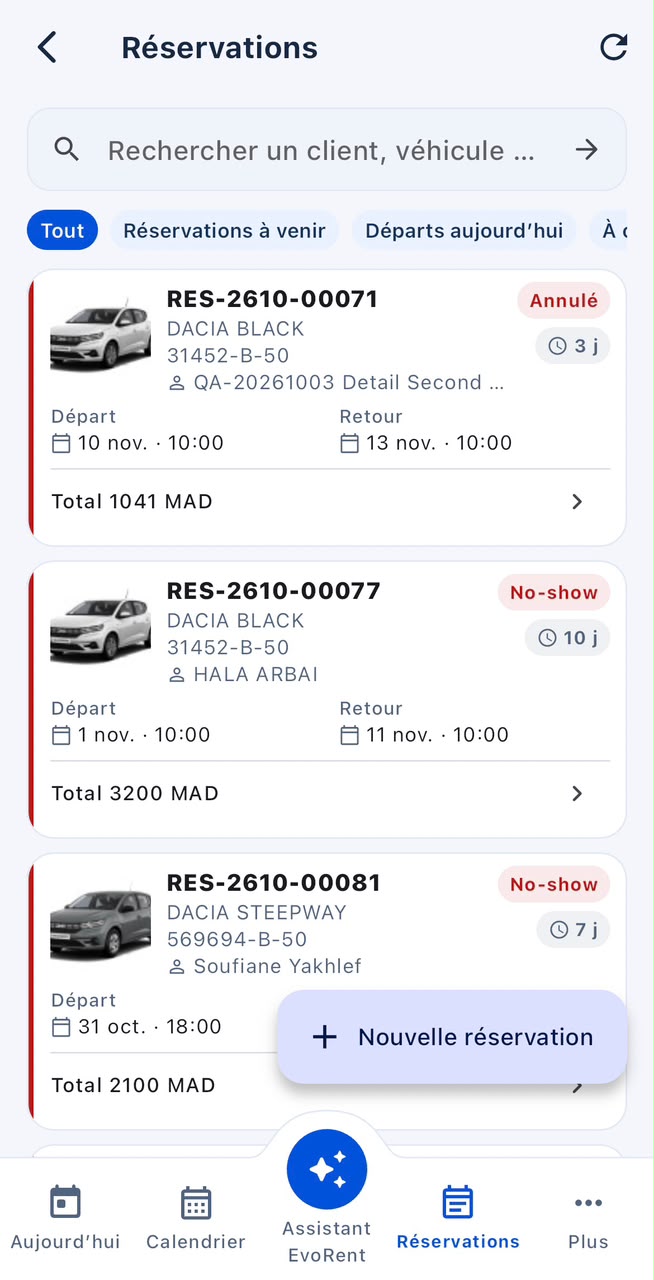
Keep planning, client details, contracts, and vehicle inspections close at hand with the EVORENT mobile app.
Store download links will be added when available.
Everything you need to know before your first demo.
Talk to our teamThe shared availability calendar lets your team check each vehicle and rental period before confirming a booking.
Yes. Scan the client’s ID card to fill in their details, review the information, and create their profile before preparing the contract.
Clients can sign on a phone, computer, or tablet, or use a signing link. The signed contract can then be exported from the website or app.
Record mileage, fuel, equipment, and damage. Keep the relevant photos, signatures, and document history with the rental file.
Yes. The financial overview brings collections, expenses, and outstanding balances together to help you follow your agency’s activity.
Annual plans are paid in one payment, with tax included. Monthly billing starts with three months paid upfront. Choose the plan that fits your fleet.
Tell us about your fleet and your needs. We will follow up about a demo or pricing question.
contact@evorent.appPlanning, contracts, inspections, and finances. One conversation to see how it all fits together.